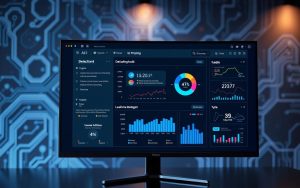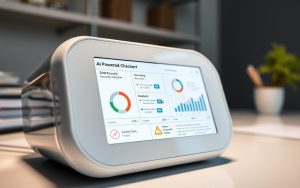


The world of education is changing fast. Tools like ChatGPT are making it harder for teachers to keep standards high.
It’s now key to tell if a piece of work is written by a student or AI. This makes academic integrity even more important.
Many are wondering if there’s a free way to use a reliable AI detection service.
Turnitin, a well-known name in this area, has come up with a solution. Their technology helps students learn while teachers can spot AI-written work. You can learn more on their AI writing resource page.
But, getting free access to Turnitin’s plagiarism checker isn’t easy. There’s no official free way to use it for this purpose.
This article will look into why, how the tool works, and what other options are out there for users.
1. Demystifying Turnitin’s AI Checker: An Essential Overview
Turnitin’s AI checker is a new tool to fight against AI-generated text in schools. It’s part of Turnitin’s big system, aiming to keep education honest. To understand it, we need to know how Turnitin started and how it has changed.
1.1. Turnitin’s Evolution from Plagiarism to AI Detection
Turnitin has been fighting plagiarism for over 20 years. It checks student work against a huge database to find copied text. This service is key for schools all over the world.
But, with AI like ChatGPT, things changed. Now, teachers face a new problem: text made by AI but not copied. Turnitin updated its tool to spot AI writing. It now looks at writing style, not just text matches.
| Era | Primary Focus | Core Technology | Impact on Integrity |
|---|---|---|---|
| 1990s-2000s | Plagiarism Detection | Text-matching algorithms | Combated direct copying and citation issues |
| 2010s | Writing Feedback | Grammar and style checkers | Supported student writing development |
| 2020s-Present | AI & Plagiarism Detection | Proprietary AI detection models | Addresses AI-generated and AI-paraphrased content |
1.2. Defining the AI Checker’s Primary Function and Goal
The main job of the AI checker is to spot text that might be AI-made. It checks each part of a document. Then, it gives a score showing how likely it was written by AI.
Its goal is to help teachers, not make final decisions. The score helps teachers choose which papers need a closer look. This helps keep education honest in the AI era.
1.2.1. Distinguishing Between AI-Generated and Human Writing
This tool is all about spotting AI writing. It looks at word choice, sentence structure, and how well the text flows. AI writing often seems too perfect and predictable, unlike human writing.
The tool also catches text made by AI and then changed by another tool. This stops people from cheating by using AI and then changing it. Turnitin’s tool tries to find out if the writing is real or made by AI.
The Technology Behind the Tool: How Detection Works
Turnitin’s system doesn’t just guess; it uses a special two-model architecture. This architecture is trained to spot the difference between human and AI writing. It’s this tech that lets it check submitted work closely.
Understanding how it works shows both its good points and its limits.
2.1. Foundational Concepts in AI Writing Analysis
AI detection looks at statistical and linguistic patterns in text. Unlike humans, AI writing has its own unique marks. The tool aims to find these marks.
Important signs include low perplexity and predictable word choices. Another key sign is burstiness, or the change in sentence structure and length. Human writing is more varied and creative.
2.1.1. Pattern Recognition and Perplexity Analysis
Perplexity shows how predictable a text is. AI-generated text often has lower perplexity because it picks the most likely next word. This makes the language flow smoothly but less surprising.
Algorithms look for overused phrases and consistent sentence structures that don’t seem human.
2.2. Turnitin’s Proprietary Model and Training Process
Turnitin uses two AI models together. This dual approach helps detect both direct AI writing and cleverly edited content. Each model focuses on different aspects, as shown below.
| Model Name | Primary Target | Key Analysis Signals |
|---|---|---|
| AIW-2 | Directly AI-generated text | Low perplexity, uniform sentence structure, predictable phrasing |
| AIR-1 | AI paraphrasing and heavily edited AI output | Inconsistent burstiness, mixed human/AI patterns, use of paraphrasing tool signatures |
These models were trained on millions of real student papers and known AI samples. This training helps the system spot the fine differences between human and AI writing.
2.2.1. How the AI Indicator Score is Calculated and Presented
The tool breaks text into segments for analysis. Each segment gets a score showing its AI likelihood.
These scores are combined to give an overall AI indicator for the submission. The results are shown in the Turnitin originality report. AI-written content is highlighted in cyan, and suspected AI paraphrasing in purple.
This makes it easy for teachers to see AI involvement alongside plagiarism, giving a full view of a submission’s authenticity.
3. Is Turnitin AI Checker Free? Addressing the Core Question
There is no free version of Turnitin’s AI Checker. This AI checker tool is a premium feature. It’s mainly available through agreements with institutions. For those looking for free access, there’s no direct way.
3.1. The Verdict: Why Direct Free Access is Not Available
Turnitin is known for its reliable, high-quality technology. Its AI detection is a big step up from old plagiarism checks. It needs a lot of power and training to work well.
Trying to find free access is not a good idea. Sites claiming to offer free Turnitin AI checks are often misleading. They might not work well or could be unsafe. Real Turnitin access is carefully controlled to keep the tool working well.
3.2. Examining Common Misconceptions and “Free Trial” Offers
Many people get confused about Turnitin’s services. The free plagiarism checker is different from the AI detection. The free tool looks for copied text but does not check for AI.
Free trial offers can also be misleading. While Turnitin might offer trials to schools, these are not for individuals. Online offers for personal trials are often scams or attempts to sell access illegally.
It’s important to know the difference to avoid wasting time and getting bad results.
3.3. The Commercial Rationale for Turnitin’s Licensing Approach
To understand Turnitin pricing, you need to look at its business model. Creating a top AI detection system costs a lot. It needs a lot of research, data, and expert teams.
Turnitin mainly sells to schools. Its licensing model helps it work well with school systems. It also supports a lot of users and offers help and training. This way, Turnitin can keep improving and stay accurate, which is hard to do with free ads.
So, Turnitin’s way of selling is not just for money. It’s also necessary to keep the tool up to the high standards of academic integrity.
4. Navigating Turnitin’s Pricing and Access Structures
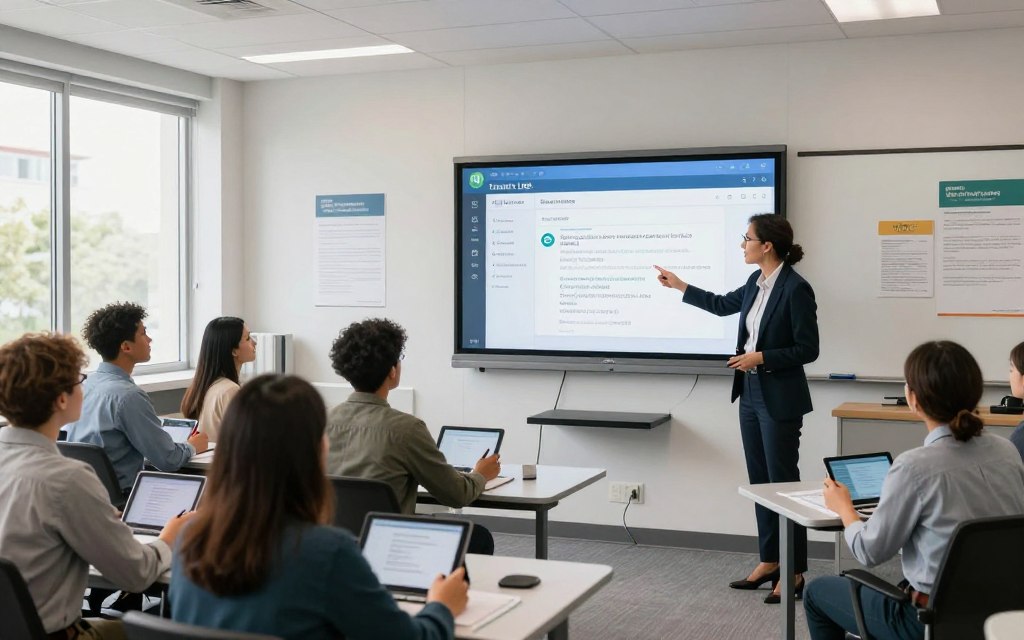
Turnitin’s AI checker pricing and access are mainly for schools and universities. It’s not for individual sales. This setup is designed for large-scale use, fitting well into educational systems.
You can’t buy it yourself. Schools, colleges, and universities have to agree to use it. We’ll look at how schools get access, what options individuals have, and how Feedback Studio fits in.
4.1. Institutional Licences: The Standard Pathway for Access
Most users get access through an institutional licence. Schools buy subscriptions for everyone. This makes it a key part of academic life.
These licences include Turnitin Originality and more. The AI checker is part of this package. It helps prevent plagiarism and offers a full set of tools for schools.
4.1.1. How Educational Institutions Procure and Pay for Turnitin
Universities handle buying Turnitin. They talk to Turnitin or resellers. Prices depend on how many students and what features are needed.
It costs a yearly fee. Schools get a set number of accounts. The system is then linked to learning platforms like Canvas or Moodle.
4.1.2. Understanding Subscription Tiers and Included Features
Turnitin has different plans for schools. Each plan has more features as you go up.
Features include:
- Similarity Check: Finds plagiarism.
- AI Writing Detection: Finds text made by tools like ChatGPT.
- Grading and Feedback Tools: Helps with marking and giving feedback.
- Full LMS integration: Makes it easy to submit and review work.
The basic plan has the similarity check and LMS link. Higher plans add AI detection and more feedback tools.
4.2. Options for Individual Educators and Researchers
Individuals can’t buy Turnitin directly. It’s only for schools and universities. This is how Turnitin works.
People can get access if they work with a school. Without a school link, looking for free alternatives is best.
4.3. Turnitin Feedback Studio: A Separate Service Explained
Turnitin Feedback Studio is different from the AI checker. It’s for grading and feedback. It can work with the AI tool but is its own service.
Many schools get Feedback Studio with their licence. But, schools can choose to use one without the other. The AI tool is part of the Originality package, not Feedback Studio. Knowing this helps understand what’s in a licence.
Identifying Who Actually Gets to Use the AI Checker
It’s important to know who can use Turnitin’s AI Checker. Access is controlled by the school’s license. This means different people have different experiences with the tool.
Most people get to the AI Checker through schools. Let’s look at who can use it and who can’t.
5.1. Students Enrolled at Partner Schools and Universities
Students usually don’t directly use the AI Checker. When they submit work, it’s checked automatically. This happens alongside the usual plagiarism check.
They don’t need to log into a special portal. The tool works quietly in the background. The results are mainly for teachers to review. Some schools might share the findings with students to help them learn.
5.2. Faculty Members, Teachers, and Administrative Staff
This group is the main users. Teachers and staff use the AI Checker to check student work. It helps keep academic standards high.
Turnitin helps these users with educator resources, webinars, and a community. Those with premium access can also use the AI innovation lab for more detailed checks.
5.3. The Access Challenge for Independent Professionals and the Public
Independent writers and the public face big challenges. Turnitin doesn’t sell individual subscriptions for its AI Checker.
As the company says, access is only for schools. This leaves others without a reliable tool for checking work.
| User Group | Access Level | Primary Use Case | Support & Resources |
|---|---|---|---|
| Students (Partner Institutions) | Indirect / Passive | Submission review (background check) | Limited; via faculty feedback |
| Faculty & Staff | Direct / Active | Academic integrity assessment | Full suite of educator resources and training |
| Independent Professionals | No Official Access | N/A | Must rely on third-party tools |
| General Public | No Official Access | N/A | Not applicable |
The table shows a clear difference. Those in education get tools like the AI innovation lab. But outsiders are left out of Turnitin’s system.
6. A Realistic Look at Capabilities and Documented Limitations
Any AI detection system’s value comes from knowing what it can do well and where it might fail. For Turnitin’s AI Checker, this means looking at its technical details and known limits. Understanding these helps users use the tool wisely and set the right expectations.
6.1. Core Features: Supported Formats, Languages, and Output
Turnitin’s AI Checker works within a specific technical setup. It can handle common file types like Microsoft Word, PDF, and plain text. The tool mainly focuses on English text, aiming to spot content made by large language models like GPT-3.5 and GPT-4.
| Feature | Specification | Notes for Users |
|---|---|---|
| Supported File Formats | .doc, .docx, .pdf, .txt | Rich text formatting is preserved for analysis. |
| Primary Language Focus | English | Highest AI detection accuracy is reported for English prose. |
| Minimum Word Count | Approximately 300 words | Submissions below this threshold may not generate a reliable score. |
| Report Output | AI Writing Report | Provides a percentage score and highlighted segments. |
6.1.1. Detail of the AI Writing Report and Its Components
The AI Writing Report is the main output. It shows a percentage score for AI-generated text. The report also breaks down each sentence, colour-coding it based on AI likelihood.
This detailed analysis lets educators check specific parts of a text. It’s meant to start a conversation about a submission’s originality, not just give a score.
6.2. Acknowledged Constraints and Accuracy Discussions
Turnitin openly talks about its tool’s limits, sharing research on its performance. The company says its AI detection accuracy is very high, based on independent studies. Yet, it’s not perfect.
6.2.1. Critical Analysis of False Positives and Edge Cases
A false positive happens when human text is mistaken for AI. Turnitin’s data shows a low false positive rate. It compares rates for different groups, finding no significant AI detection bias against non-native writers.
Any false positive can be serious. Turnitin offers guides for educators on handling these cases. They stress that the report should guide, not replace, human judgment.
6.2.2. Minimum Word Counts and the Impact of Editing
The tool needs at least about 300 words for a good analysis. Short texts lack enough data for a reliable prediction. Also, editing AI-generated content can affect AI detection accuracy.
Heavy editing or paraphrasing can make it hard for the detector to classify. The tool looks at the final text, not its history. This can lower detection scores if the text is heavily modified.
7. Free AI Detection Alternatives: A Comparative Analysis
Exploring free AI detectors requires knowing their strengths, weaknesses, and best uses. These tools are great for students, writers, and teachers without access to paid tools. But, remember, their results are just a starting point. They’re not as thorough as what a tool like Turnitin can find.
7.1. Catalogue of Prominent Free AI Detector Tools
Many online platforms offer free AI text analysis. They often have a free version or show ads to make money. This way, they give basic detection features for free.
7.1.1. GPTZero: Features and Free Tier Limits
GPTZero is well-known for its free AI detection. It checks text for signs of AI writing. The free version lets you check a few documents each day. But, it might sometimes say a human-written text is AI.
7.1.2. Writer.com AI Detector: Capabilities and Use
Writer.com has a simple AI detector. It gives a score on how likely a text was written by AI. It’s good for marketers, writers, and anyone who wants to check their work before publishing.
7.1.3. Other Viable Free and Freemium Options
There are more tools like ZeroGPT and Sapling AI Detector. Scribbr uses QuillBot’s tech for its free detector. PlagiarismCheck.org combines plagiarism and AI checks in one scan.
7.2. Side-by-Side Comparison: Turnitin vs. Free Alternatives
Turnitin and free tools are different in many ways. The table below shows how they compare.
| Tool | Cost Model | Target User | Key Strength | Primary Use Case |
|---|---|---|---|---|
| Turnitin AI Checker | Institutional Licence | Schools & Universities | Deep integration with academic workflows; formal authority | Definitive academic assessment and integrity investigations |
| GPTZero | Freemium | Students, Independent Writers | Widespread recognition; detailed sentence-level analysis | Preliminary self-checking and awareness building |
| Writer.com AI Detector | Free / Ad-supported | Content Creators, Professionals | Simplicity and speed for non-academic content | Ensuring human-centric tone in marketing and web copy |
| Scribbr (QuillBot) | Free | Students | Accessibility and association with academic editing services | Informal document review alongside grammar checks |
| PlagiarismCheck.org | Freemium / Subscription | Educators, Students | Combined plagiarism and AI detection in one report | Comprehensive pre-submission screening for assignments |
Free detection tools are useful, but they’re not as reliable as what’s used in school.
7.3. Strategic Advice: Choosing the Right Tool for Your Needs
Choosing an AI detector depends on what you need. For students checking essays, GPTZero or Scribbr’s tool is good. They give quick feedback.
Teachers without Turnitin can use these tools for feedback. But, they shouldn’t be the only reason for accusing someone of cheating. These tools can make mistakes.
Using these tools doesn’t mean trying to cheat. They help promote original work and show how AI affects writing. For serious checks, always use your school’s licensed tool, like Turnitin.
8. Ethical Considerations and the Academic Integrity Landscape
AI checkers bring up big questions about fairness and the purpose of tests. Schools must think deeply about these issues. They need to consider what’s fair, open, and why we test students in the first place.

8.1. The Role of Detection in Upholding Academic Standards
With AI tools like Turnitin’s AI Checker, keeping academic work honest is easier. They help make sure students’ work is their own. This is key to keeping education trustworthy.
Without these tools, the value of degrees could drop. They help keep education honest. This builds trust in schools.
8.2. The Importance of Due Process and Avoiding Bias
AI detection bias is a big worry. Some AI might unfairly flag work from certain students. Turnitin is working hard to fix this.
When AI flags work, it’s just the start. Schools must talk to students, look at drafts, and think about the situation. This is fair.
Teachers must handle false positives with care. It’s important to believe students are innocent until proven guilty. Being fair is more important than quick answers from AI.
8.3. Moving Beyond Detection: Pedagogical Strategies and Policy
Good academic integrity strategy does more than just check work. It uses technology and new teaching methods. It’s about stopping cheating before it starts.
Turnitin helps teachers teach students about AI’s right use. They suggest making tests that focus on learning, not just passing. This could include writing in class or doing personal projects.
Schools should have clear rules about AI use. These rules should be easy to understand for everyone. By using technology wisely and teaching well, schools can focus on learning, not just following rules.
9. Actionable Advice for Securing and Using AI Detection
Understanding the landscape is one thing; securing access and using the tools correctly is another. This section delivers practical steps for educators and institutions to navigate the process of obtaining and applying AI detection responsibly.
9.1. For Educators: Steps to Explore Access Through Your Institution
If you are an educator seeking to use Turnitin’s AI detection, your first step is internal. Contact your institution’s academic integrity office or IT department. Inquire if a campus-wide licence already exists. Many licences are integrated directly into Learning Management Systems (LMS).
Ask about available educator resources for training and fair usage guidelines. If no licence is in place, your inquiry can help demonstrate demand. It may initiate a formal procurement review by the administration.
9.2. For Institutions: Factors to Consider When Evaluating Purchase
For institutions weighing a purchase, the decision extends beyond the core AI checker tool. A holistic evaluation ensures the technology supports your academic mission effectively. Key factors to analyse are summarised below.
| Evaluation Factor | Key Questions | Impact on Implementation |
|---|---|---|
| Cost & Licensing | What is the total cost of ownership? Is pricing per user, per submission, or a site licence? | Determines budget allocation and scalability for different departments. |
| Technical Integration | Does it plug into our existing LMS (e.g., Canvas, Moodle, Blackboard)? What is the IT workload for setup? | Affects ease of adoption for staff and student workflow familiarity. |
| Training & Support | What official training materials and ongoing technical support are provided? | Critical for ensuring consistent, fair application and building faculty confidence. |
| Pedagogical Fit | How will this tool be part of a broader strategy for teaching academic writing and integrity? | Moves the tool from a simple policing device to a component of educational development. |
9.3. Operational Best Practices for Effective and Fair Usage
Once access is secured, proper usage is key. Never treat an AI detection report as definitive proof on its own. Use it as one piece of evidence within a broader investigative process.
Always understand the tool’s documented constraints, such as minimum word counts and the possibility of false positives. Follow your institution’s established policies for addressing suspected academic misconduct. This ensures due process.
Leverage all available educator resources from the provider for training. Advise students to use reputable free alternative checkers proactively. This allows them to review their work before final submission, turning detection into a learning tool.
Remember, a similarity check is just one function. An effective AI checker tool should be part of conversations about authentic learning and original thought.
10. Conclusion
Turnitin’s AI Checker is not free for everyone. It’s a special tool for schools and universities. They use it to check for AI in student work.
Students and teachers at these places get to use it. This helps keep academic work honest. The tool keeps getting better because of this.
Turnitin is great for finding AI in writing. It helps teachers deal with the new AI challenges. But, it’s not perfect, and users need to know its limits.
There are free tools online for a quick check. But for real checks in school, Turnitin is key. It helps keep academic work honest.
AI is changing how we check work for honesty. Tools like Turnitin are very helpful. They work best when used with careful teaching and strong school rules.
FAQ
Is Turnitin’s AI detection tool free to use?
No, Turnitin’s AI Checker is not free. It’s a special tool only available through school or university subscriptions. You can’t use it on your own.
Can I get a free trial of Turnitin’s AI detector?
Free trials of the real Turnitin AI Checker are not available to everyone. Some websites claim to offer free scans, but these are often fake. They don’t use the real Turnitin software.
Who can use Turnitin’s AI writing detection feature?
Only students, teachers, and staff at schools with a Turnitin licence can use it. People outside of these groups can’t access the tool directly.
How does Turnitin’s AI detection technology work?
The tool uses a special system trained on huge amounts of data. It looks for signs of AI writing, like predictable patterns. It checks text in parts and gives a score.
What are the main limitations of Turnitin’s AI Checker?
It needs at least 300 words to work. It might flag things that aren’t AI. Turnitin says it’s best used as part of a bigger effort to check work.
What free AI detection alternatives exist to Turnitin?
There are free tools like GPTZero and Writer.com’s AI detector. Sapling and PlagiarismCheck.org also offer free checks. But they’re not as good as Turnitin for official checks.
As an educator, how can I get access to the Turnitin AI Checker?
Teachers should talk to their school’s academic office or IT department. They can check if the school has a licence. If not, they can look into getting one.
Does Turnitin’s tool unfairly flag non-native English speakers’ work?
Turnitin’s research says it doesn’t unfairly flag English Language Learners. But, there’s a bigger debate about AI bias. Schools should carefully check any flagged work.
Can students use the AI checker before submitting work?
Students can’t use Turnitin’s AI Checker on their own. But, they can try tools like GPTZero for a quick check. The real check will be done by their school’s Turnitin system.
Is the AI checker part of the standard Turnitin plagiarism report?
A> For schools with the right licence, the AI report is part of Turnitin. It shows likely AI text in colour. This is alongside the similarity score.


 By
By