

In today’s world, your writing quality is very important. It matters whether you’re writing a business report, an academic essay, or a blog post. Good writing can make a big difference in your career, grades, and how people see your ideas.
Modern AI grammar checkers are more than just spell-checkers. They look at your writing’s style, tone, and clarity. They give you tips to make your writing stand out.
Choosing the right grammar checker can be tough. There are so many options out there. Finding the best grammar checker for you can feel overwhelming.
This guide aims to help you find your way. We offer detailed reviews and comparisons. Our aim is to help you make a smart choice. This way, you can always write at your best.
Why Impeccable Writing is Non-Negotiable
Every small mistake in writing can hurt your relationship with your audience. In today’s world, clear and correct writing is more important than ever. Whether it’s a business proposal, an academic paper, or a social media post, mistakes can cost you a lot.
In work settings, bad grammar can damage your credibility. A proposal full of errors shows you’re not detail-oriented. This can lead to lost contracts and damaged partnerships. Good communication skills are key to success, and bad writing is a major weakness.
Academia is also strict about grammar. Mistakes can make you seem careless or not well-informed. Precise professional writing shows you respect your readers and are disciplined in your thinking.
For marketing and sales, the goal is to get people to buy. Poor writing can confuse your message and make your brand seem amateur. As one expert said:
“Clear writing is clear thinking made visible. In marketing, if your audience has to work to understand you, you’ve already lost them.”
When English is used worldwide, clear grammar is essential. Mistakes can cause big problems in international work.
The table below shows how writing errors affect different areas:
| Domain | Primary Consequence | Secondary Impact | Scale of Risk |
|---|---|---|---|
| Business Proposals | Loss of Credibility | Missed Opportunities & Revenue | High |
| Academic Submissions | Lowered Grades | Perception of Intellectual Carelessness | Moderate to High |
| Marketing Copy | Weakened Messaging | Reduced Conversions & Brand Damage | High |
| Global Communication | Misunderstandings | Operational Delays & Relationship Strain | Moderate |
Good writing is essential for communication skills. It keeps your reputation strong, ensures your ideas are understood, and opens doors. It’s vital in every field. So, using a spellchecker alone is not enough. You need a solid proofreading plan and advanced tools. Learn more about essential proofreading and editing tools for top-notch professional writing.
The need for reliable tools has led to big changes in writing technology. From simple checkers to AI helpers, we now have better ways to write well.
The Evolution of Grammar Checking: From Rule-Based to AI
Imagine a tool that could only spot a missing comma but completely misunderstood the joke you were trying to tell—this was the reality of first-generation grammar checkers. For years, digital proofreading software relied on static, rule-based algorithms. These systems scanned text against a fixed database of grammatical rules and common errors.
They could flag an obvious subject-verb disagreement. But they often struggled with complex sentences, colloquial phrases, or creative writing. This led to a lot of false positives and missed nuances. Writers got frustrated with suggestions that were technically correct but not stylish.
“Early grammar checkers were like having a pedantic editor who knew the rulebook by heart but had never actually held a conversation.”
The breakthrough came with the integration of Artificial Intelligence and machine learning. This shift moved grammar checking from a simple pattern-matching exercise to a form of language comprehension. Modern tools analyse writing using vast datasets of real-world language.
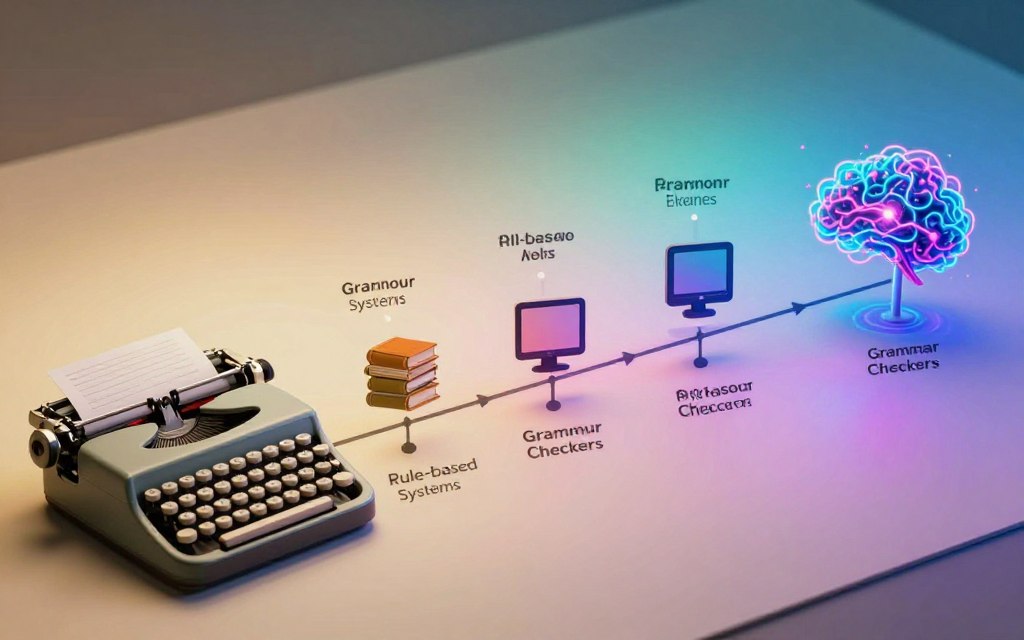
At the heart of this revolution is natural language processing (NLP). NLP allows software to parse sentences not just for structure, but for meaning and intent. It considers the words around a possible error, the document’s overall tone, and even the writer’s apparent goal.
This technology enables today’s assistants to do much more than fix commas. They can suggest smoother sentence flow, adjust formality, and highlight passive voice. The tool moves from being a fault-finder to a collaborative partner. It helps you refine your unique voice, instead of forcing your writing into a rigid template.
| Aspect | Rule-Based Checking | AI-Powered Checking |
|---|---|---|
| Core Technology | Static database of grammar rules | Machine learning & natural language processing |
| Context Understanding | Minimal to none; analyses in isolation | High; evaluates sentences within paragraphs |
| Error Types Caught | Basic spelling, grammar, punctuation | Style, tone, clarity, conciseness, plagiarism |
| Primary Function | Error detection and correction | Writing enhancement and coaching |
| Adaptability | Fixed; requires manual updates | Learns and improves from new data continuously |
This evolution means that contemporary proofreading software is an indispensable tool for anyone who writes. It is no longer a luxury for the unsure but a powerful asset for professionals aiming for clarity and impact. The intelligence behind these platforms understands that good writing is about communication, not just compliance.
What is an AI Grammar Checker?
An AI grammar checker is a top-notch software that checks and improves your writing. It’s more than just a spellchecker. This grammar check tool uses artificial intelligence (AI) and natural language processing (NLP) to get your language.
NLP helps the software understand sentences and their meanings. It catches the fine details that simple rules can’t. The AI part learns from lots of examples, making it smarter over time. This combo makes your text better.
An AI grammar checker does a lot. It’s like a detailed proofreader that finds and fixes many problems:
- Spelling Errors: Finds typos and words that are often mixed up.
- Grammar and Syntax: Points out wrong verb forms, tense mistakes, and broken sentences.
- Punctuation Mistakes: Fixes comma and apostrophe errors, and more.
- Style and Vocabulary Enhancements: Offers better word choices and ways to make your writing clearer.
This tool is very useful. It helps with all kinds of writing, from business reports to creative stories. It gives feedback to make your writing clear and effective, always ready to help.
It’s important to understand how these tools work. This helps you see their real value for your writing.
Essential Criteria for Selecting Your Tool
Choosing the right tool can be tricky with so many options. Not every AI grammar checker fits every writer’s needs. Whether you need help with academic writing, creative projects, or business reports, you need a tool that matches your needs.
Focus on three key areas to find the best tool. Look at the features, how smart the corrections are, and the cost. This method helps you make a clear choice.
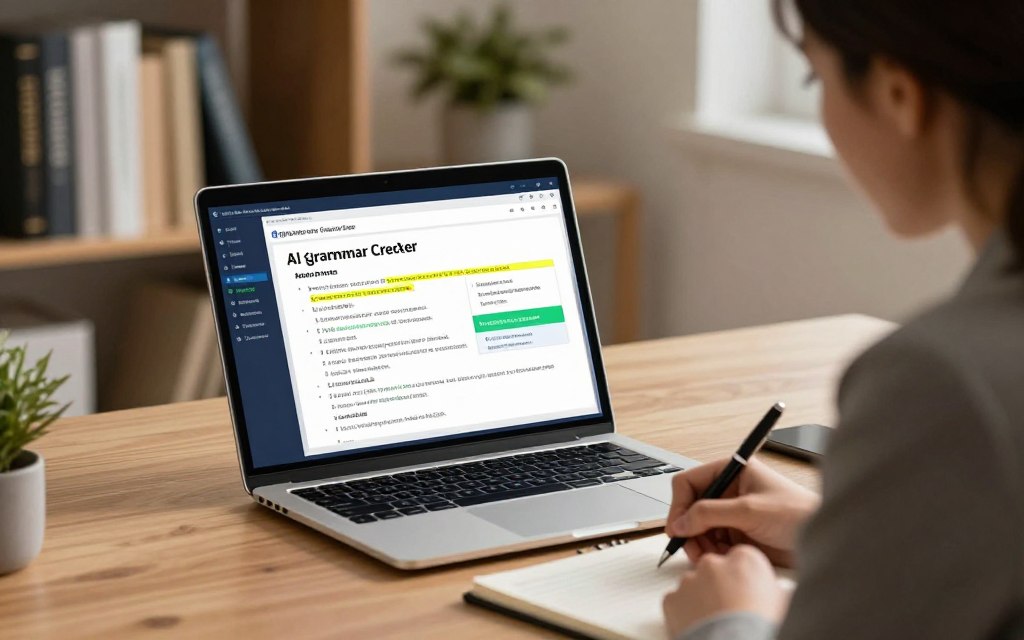
Core Feature Set and Checks Performed
A good tool does more than just check spelling and grammar. It offers deep analysis that sets it apart from basic proofreaders. You should expect it to scan your text thoroughly.
Key checks include:
- Grammar and Spelling: It catches typos and grammatical mistakes.
- Punctuation: A dedicated punctuation checker ensures correct use of commas, periods, and quotation marks.
- Style and Clarity: It suggests better word choices and sentence structures.
- Plagiarism Detection: It’s vital for checking originality in academic and professional work.
- Tone and Formality: It adjusts suggestions based on the writing style, whether it’s for an email or a novel.
How you access the tool is also important. The best tools offer browser extensions, desktop apps, and integration with Microsoft Word and Google Docs. This makes it easy to get feedback wherever you write.
The table below shows the key features to compare:
| Feature Category | Specific Checks | Primary Benefit |
|---|---|---|
| Spelling & Grammar | Contextual spelling, verb tense, article use | Eliminates basic errors that undermine credibility |
| Punctuation | Comma placement, apostrophe use, quotation marks | Ensures professional formatting and readability |
| Style & Clarity | Passive voice, lengthy sentences, vague adverbs | Improves flow and engages the reader |
| Plagiarism Detection | Database cross-checking | Guarantees originality and avoids academic penalties |
| Integrations | Browser, Desktop, MS Office, Google Docs | Provides real-time corrections in your natural workflow |
Accuracy, Context Understanding, and False Positives
Having lots of features doesn’t matter if the suggestions are wrong. Advanced AI tools understand the context of your text. They know the difference between “their” and “there” based on the surrounding sentence structure.
False positives, where the tool flags correct text as an error, are frustrating. They can disrupt your writing flow and erode trust in the software. Look for tools that are praised for their accuracy and nuanced understanding.
The most sophisticated engines analyse entire paragraphs to determine intent, reducing inappropriate suggestions for creative or technical phrasing.
This ability is critical for specific writing styles. A scientific paper uses passive voice differently than a marketing brochure. A top-tier checker knows this and adjusts its feedback appropriately.
Subscription Models and Overall Value
Most tools follow a freemium model. The free version usually handles basic spelling and grammar check needs. For serious writers, premium plans unlock advanced style checks, plagiarism scanning, and enhanced word choice suggestions.
When evaluating value, consider the cost per feature. Some tools offer a detailed style guide and explanations for each correction. Others might include translation services or a built-in readability score.
Annual subscriptions often save money compared to monthly plans. For example, some leading providers charge around $12 per month if billed annually, while monthly plans can be nearly double. Think about whether you need unlimited checks or if a limit on document length or checks per month is enough.
Ultimately, overall value is about balancing cost, accuracy, and the features you use daily. A good punctuation checker is useless if the interface is distracting. The best tool should feel like a helpful co-editor, not a harsh critic.
In-Depth Reviews of Leading AI Grammar Checkers
We’ve looked closely at the top AI grammar checkers to help you choose. This review breaks down five key platforms, highlighting their good points, weak spots, and special features.
Grammarly
Overview
Grammarly is a well-known name in writing help. It works as a browser extension, desktop app, and mobile keyboard. It corrects errors in real-time on almost any digital platform.
Pros
- Exceptionally high accuracy for grammar, spelling, and punctuation errors.
- Superior context-aware suggestions that understand nuanced meaning.
- Clean, intuitive user interface that is easy for beginners to adopt.
- Powerful plagiarism detection feature available in its Premium plan.
Cons
- The free version is quite limited, restricting advanced feedback.
- Premium subscription can be costly for individual users on an annual commitment.
- Some users report suggestions can occasionally disrupt creative flow.
Key Features
Grammarly’s top feature is its advanced tone and writing style analysis. It gives feedback on clarity, engagement, and delivery. It offers a Free plan, a Premium plan (about $12 USD/month billed annually) for more checks, and a Business plan for teams.
ProWritingAid
Overview
ProWritingAid is seen as a detailed writing coach, loved by authors and those writing long pieces. It works directly with word processors like Scrivener and Google Docs.
Pros
- Offers an incredibly detailed suite of over 20 different reports (e.g., style, readability, echoes).
- Excellent for in-depth manuscript editing and strengthening overall prose.
- Provides lifetime purchase options, which can be more economical long-term.
Cons
- The interface can feel cluttered and overwhelming for new users.
- Real-time checking is less seamless than some competitors.
- The free version has a strict word limit per document.
Key Features
Its strength lies in deep analysis. It looks at sentence structure, repeated words, and pacing. It’s great for refining your unique voice and writing style through detailed metrics.
Ginger Software
Overview
Ginger Software is a strong contender with a focus on sentence rephrasing and translation. It has a unique text reader feature and personal trainer exercises.
Pros
- The sentence rephraser tool is highly effective for improving clarity.
- Integrated translation support for over 60 languages.
- Includes a personal trainer to help users learn from their mistakes.
Cons
- The free version has a restrictive character limit for corrections.
- Interface and suggestions can feel less polished than Grammarly.
- Browser extension performance can be inconsistent on some websites.
Key Features
Ginger’s standout tools are its AI sentence rewriter and multilingual translator. It’s a good pick for non-native English speakers or those working with translated content.
WhiteSmoke
Overview
WhiteSmoke is a veteran in the field, providing an all-in-one package. It includes grammar checking, style checking, and translation in a dedicated desktop app.
Pros
- Functions as a complete, standalone writing suite.
- Includes a robust translation module and templates for various documents.
- One-time purchase option is available for the desktop version.
Cons
- The interface is outdated and not as user-friendly as modern competitors.
- Accuracy for nuanced grammar and style suggestions can be inconsistent.
- Less effective as a seamless, real-time writing assistant across the web.
Key Features
WhiteSmoke’s appeal is its all-in-one approach. It combines a grammar checker, style checker, translator, and plagiarism detector into one desktop tool. This might suit users who prefer a dedicated app over web-based tools.
LanguageTool
Overview
LanguageTool is an open-source, privacy-focused grammar checker. It supports a wide array of languages and is known for its strong community and transparent model.
Pros
- Supports grammar and style checking for over 30 languages.
- Offers a generous free plan with fewer restrictions than some rivals.
- Strong commitment to user privacy and data protection.
Cons
- The range of style and tone suggestions is not as advanced as Grammarly’s.
- Can produce more false positives, specially with creative or informal text.
- The interface, while functional, is less visually refined.
Key Features
LanguageTool’s main advantage is its wide multilingual support and open-source nature. It’s a cost-effective choice for those who need basic-to-intermediate checks across many languages.
Side-by-Side Comparison of Top Tools
After looking at individual reviews, a clear comparison is key. This table puts top AI grammar check tools side by side. It highlights their good points and areas for improvement.
The table below shows how each tool performs in four key areas. It helps you decide what’s most important for your writing needs.
With this data, you can quickly see the main differences. We’ve included the top tools from our earlier reviews. Plus, two more popular ones for a wider view.
| Tool Name | Grammar Check Quality | Usability & Interface | Key Features | Pricing (Premium) |
|---|---|---|---|---|
| Grammarly | Excellent for general and business English. Strong context awareness. | Very intuitive. Seamless browser, desktop, and mobile integration. | Tone detection, plagiarism checker, full-sentence rewrites. | ~$12/month (Annual plan). A generous free plan is available. |
| ProWritingAid | Deep, detailed analysis ideal for long-form writers and editors. | Powerful but can feel complex initially. Best experienced via its dedicated editor. | Over 20 reporting styles, in-depth style guides, integration with Scrivener. | ~$10/month (Annual plan). Offers a limited free version. |
| Ginger Software | Good for basic to intermediate grammar, with a focus on sentence rephrasing. | Simple and straightforward. The browser extension is less obtrusive than some. | Text reader, translation tool, personalised practice sessions. | ~$9.99/month (Annual plan). Free version has strict limits. |
| WhiteSmoke | Solid foundational grammar and spelling checks. | Desktop-centric feel. The interface is functional but not as modern as rivals. | Includes translation and a templates pack for business documents. | ~$5/month (Annual plan). No significant free offer. |
| LanguageTool | Very strong for multilingual users. Supports over 30 languages. | Clean and simple. The open-source background appeals to some users. | Multi-language support, style suggestions, community-driven rules. | ~$4.99/month (Annual plan). A robust free tier exists. |
| Wordvice AI | High accuracy, specially noted for academic and technical writing. | Web-based editor focused on scholarly work. Efficient for proofreading drafts. | Academic tone checks, citation formatting assistance, plagiarism detection. | Approximately $15/month. Tailored for academic professionals. |
| QuillBot | Good grammar checking paired with its flagship paraphrasing tool. | Easy-to-use web editor. Centralised around rewriting functions. | Paraphraser, summariser, citation generator, co-writer mode. | ~$9.95/month (Annual plan). Free version has a paraphrasing limit. |
Looking at the table, some patterns stand out. Grammarly is a top choice for all-around quality and ease of use. For deep stylistic analysis, ProWritingAid is unmatched.
For those looking for value, LanguageTool offers great multilingual support at a low price. Its free tier is also worth considering for many users.
Your choice of the best grammar checker depends on your needs. If ease of use is key, focus on usability. For deep editing, look at feature depth.
This comparison cuts through marketing hype. It gives you the facts to choose a grammar check tool that’s worth your time and money.
Maximising Your Use of an AI Grammar Checker
Using an AI writing assistant well means setting it up right for your task. Whether it’s a research paper or a marketing slogan, just accepting all changes isn’t enough. You need to tweak the settings and think about what the tool is telling you in the context of your goal.
Today’s grammar checkers can change how they work. They can go from strict academic checks to more flexible feedback for creative projects. It’s up to you to guide them.
Strategies for Academic and Technical Writing
In academic and technical writing, being precise and clear is key. Your tool should be a strict editor, not just a spellchecker.
Start by setting the tool to its most formal setting. This tells the AI to watch out for casual language and suggest clearer, more objective words. Focus on:
- Clarity and Conciseness: Look for ways to make your writing clearer and less wordy. Breaking a complex sentence into two can help.
- Citation and Formatting Consistency: Some tools can check if your citations or dates are consistent. This is important in long documents.
- Learning from Explanations: Don’t just accept changes without understanding why. Use the tool to learn about formal writing rules.
As one source on writing fluency says, your goal is to make your writing clear and authoritative. An AI set up for this can be a big help.
Optimising Creative and Marketing Content
For blogs, ads, social media, and fiction, the rules are different. Here, it’s about voice, engagement, and brand personality. Your AI tool needs to be more flexible and creative.
Change the settings to a more casual or creative tone. Now, the focus is on persuasive and stylish writing. Key areas to focus on include:
- Tone and Style Adjustments: Use the tool’s settings to match your desired voice. It should suggest words that connect with your audience.
- Conciseness and Impact: Marketing copy needs to grab attention quickly. Use the tool to find stronger, more active language.
- Brand Voice Consistency: If possible, create a custom style guide. This helps the AI keep your content consistent in terms of terminology and style.
The tool’s ability to suggest synonyms and rephrase sentences is very useful here. It helps you avoid repetition and find more engaging words.
The table below shows how to set up your tool differently for academic and creative writing:
| Feature / Setting | Academic & Technical Writing | Creative & Marketing Content |
|---|---|---|
| Primary Goal | Clarity, precision, and formal correctness. | Engagement, brand voice, and stylistic flair. |
| Recommended Formality | Set to ‘Formal’ or ‘Academic’. | Set to ‘Informal’, ‘Creative’, or ‘Business’. |
| Key Focus for Suggestions | Sentence structure complexity, objective language, citation formatting. | Sentence variety, emotional tone, conciseness, powerful vocabulary. |
| Learning Outcome | Understanding grammatical rules and formal conventions. | Developing a stronger, more consistent authorial or brand voice. |
By changing how you use it, the same AI tool can excel in both academic and creative writing. It becomes a key part of your writing process, no matter the task.
Understanding the Limitations
Before using a grammar check tool, it’s key to know its limits. These tools are meant to help, not do everything. They ensure you keep control over your writing’s meaning and style.
The main issue is natural language processing. AI uses big data to learn, but it doesn’t truly understand language. It can struggle with unclear sentences, sarcasm, and creative expressions. A tool might suggest changes that don’t fit your writing style or logic.
Another big risk is changing your message. An AI might fix grammar but alter your sentence’s meaning. You must check every suggestion to keep your writing true to your voice.
These tools aren’t perfect at catching mistakes. They might miss errors in long sentences or technical terms. They also struggle with complex punctuation, like when to use a semicolon.
An AI grammar checker is a smart proofreader, not a co-author. It points out issues and offers fixes. You decide what to accept and what to change. Working together, you get the best results.
| Limitation Area | AI Grammar Checker Behaviour | Essential Human Oversight |
|---|---|---|
| Context & Intent | May misinterpret tone, humour, or rhetorical devices based on pattern matching. | Preserves the author’s unique voice and ensures the intended message is unchanged. |
| Nuanced Language | Can miss subtle errors in complex syntax or highly specialised terminology. | Provides domain-specific knowledge and judges stylistic elegance beyond mere correctness. |
| Suggestion Accuracy | Occasionally generates “false positives” or offers suboptimal rewrites. | Exercises final judgement to accept, modify, or ignore each suggestion. |
| Creative & Novel Content | Struggles with unconventional sentence structures or new linguistic trends. | Drives innovation in language use and breaks rules for deliberate artistic effect. |
In summary, AI grammar tools are very helpful but have limits. Knowing what they can and can’t do helps you use them well. The best writing comes from combining AI with human insight.
Conclusion
Finding the right AI grammar checker is key to perfect writing. The best one for you depends on your workflow, goals, and budget.
Grammarly is top for easy use and professional writing. ProWritingAid is great for detailed style reports, perfect for authors. Ginger Software is best for those who write in many languages.
Remember, the best tool must be accurate, understand context, and offer good value. Try free trials to see if a tool works for your projects, like papers or marketing.
Choosing a good writing assistant boosts your confidence. It helps you write clearly, persuasively, and without mistakes. Your ideal writing tool is out there.


 By
By